
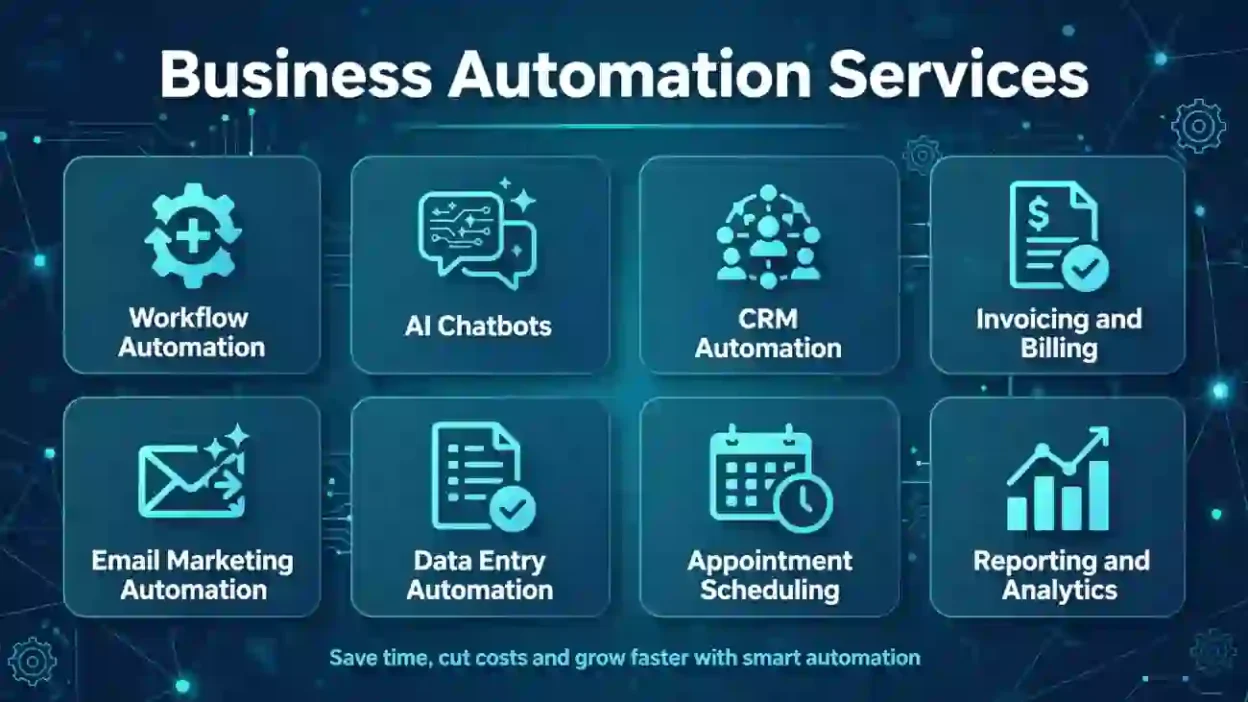
Business automation services help companies automate repetitive tasks, connect software systems, reduce manual errors, and improve productivity. These services can include workflow automation, customer service automation, data processing, invoicing, and AI-powered tools. Businesses use them to save time, control operating costs, improve customer experiences, and allow employees to focus on higher-value work.
Key Takeaways
- Business automation services reduce repetitive manual work and streamline daily operations.
- Common solutions include workflow automation, CRM integration, accounting, reporting, and customer support.
- Small businesses can benefit from automation without investing in large enterprise systems.
- The best automation projects solve clear problems and offer measurable business value.
- Security, employee training, and regular performance reviews help automation deliver lasting results.
Business Automation Services
Introduction
Running a business involves many tasks that take time but do not always require human judgment. Employees may spend hours answering routine emails, entering customer information, preparing invoices, updating spreadsheets, and following up on leads. When these activities pile up, teams have less time to serve customers and grow the business.
Business automation services help companies simplify these tasks by using software, integrations, and artificial intelligence (AI). Instead of relying on employees to complete every step manually, businesses can create systems that handle routine work automatically.
These services are useful for startups, small businesses, and large organizations across many industries. However, choosing the right solution requires more than purchasing software. Companies need to identify their biggest problems, select suitable tools, and measure the results.
This guide explains what business automation services include, how they work, which solutions businesses should consider, and how to choose a provider that fits their goals and budget.
What Does “Business Automation Services” Mean?
Business automation services involve designing, implementing, and maintaining technology that performs repetitive business tasks with limited manual effort. These services may use software applications, predefined rules, system integrations, AI, or robotic process automation (RPA).
For example, an automated system can capture information from a website form, add the details to a customer relationship management (CRM) platform, assign a sales representative, and send a confirmation email.
Businesses commonly use automation for:
- Sales and lead management
- Customer support and appointment scheduling
- Invoicing and payment reminders
- Employee onboarding and administrative tasks
- Inventory updates and order processing
- Data entry and report generation
- Email marketing and customer follow-ups
A business automation provider may assess existing processes, recommend tools, connect different applications, build automated workflows, and provide ongoing support.
The goal is not to automate everything. It is to remove unnecessary manual work while keeping people involved in decisions that require judgment, creativity, or personal attention.
Why Use Business Automation Services?
Manual processes can slow down operations, increase costs, and create avoidable mistakes. Automation helps businesses complete routine work more consistently and gives employees more time for tasks that directly support customers and revenue.
Here are the main benefits:
- Save time: Complete repetitive activities faster.
- Reduce errors: Apply consistent rules to routine data and transactions.
- Improve customer service: Send faster responses and timely updates.
- Control operating costs: Reduce the time spent on repetitive administrative work.
- Improve visibility: Track tasks, deadlines, and performance through centralized systems.
- Support business growth: Handle increasing workloads without adding the same amount of manual effort.
- Strengthen consistency: Standardize processes across employees and departments.
Results depend on the process, software, and quality of implementation. Businesses should measure improvements instead of assuming that every automation project will produce immediate savings.
10 Best Business Automation Services to Consider
The best solution depends on your company’s size, industry, current software, and operational challenges. These ten service categories cover common opportunities for automation.
1. Workflow Automation Services
Meaning
Workflow automation connects individual steps in a business process so tasks move forward automatically. For example, a submitted request can trigger an approval, notify the appropriate employee, and update a tracking system.
Best For
Professional, Formal
Example 1
A consulting firm automatically assigns new client inquiries to the right team member based on service type.
Example 2
A property management company routes maintenance requests to the correct staff member and sends tenants status updates.
Quick Tip
Start with a process that follows predictable steps and has clear rules. Complicated workflows are easier to automate after the basic process works reliably.
2. CRM and Sales Automation
Meaning
CRM automation manages routine sales activities, including lead assignment, follow-up reminders, contact updates, and customer communication. It helps sales teams keep track of opportunities without relying on scattered spreadsheets.
Best For
Professional, Friendly
Example 1
A software company automatically reminds its sales representative to contact a prospect three days after a product demonstration.
Example 2
An insurance agency assigns incoming leads based on location and the type of coverage requested.
Quick Tip
Choose a CRM that works with your existing sales tools. Review your customer data before automating follow-ups to avoid duplicate records or irrelevant messages.
3. Customer Service Automation
Meaning
Customer service automation uses chatbots, help desk rules, automated replies, and self-service resources to handle common customer questions. More complex issues can be transferred to a human representative.
Best For
Professional, Polite
Example 1
An online store automatically shares shipping updates when customers ask about their orders.
Example 2
A home services company uses an automated assistant to collect basic information before routing a customer to its support team.
Quick Tip
Make it easy for customers to reach a person when automation cannot solve their problem. Clear escalation options help protect customer trust.
4. AI Business Automation
Meaning
AI business automation uses artificial intelligence to support tasks involving language, document processing, classification, and pattern recognition. Depending on the system, it can summarize messages, categorize support requests, or extract information from documents.
Best For
Professional, Formal
Example 1
A marketing agency uses AI to categorize incoming client feedback before a team member reviews it.
Example 2
A logistics company extracts key details from delivery documents and flags incomplete information for staff review.
Quick Tip
Use human review for sensitive decisions, financial approvals, and important customer communications. AI outputs can be incorrect, even when they sound convincing.
5. Accounting and Invoicing Automation
Meaning
Accounting automation reduces manual work in billing, expense tracking, invoice creation, payment reminders, and financial recordkeeping. It can connect accounting software with payment platforms and other business applications.
Best For
Professional, Formal, Polite
Example 1
A freelance design studio generates invoices automatically when a project reaches an agreed billing milestone.
Example 2
A wholesale supplier sends payment reminders when customer invoices approach their due dates.
Quick Tip
Set approval rules for unusual transactions and reconcile automated records regularly. Automation supports financial controls but does not replace proper accounting oversight.
6. Email Marketing Automation
Meaning
Email marketing automation sends targeted messages based on customer actions, preferences, or scheduled events. Businesses can use it for welcome emails, abandoned-cart reminders, educational sequences, and customer retention campaigns.
Best For
Friendly, Warm, Professional
Example 1
A fitness studio sends a welcome series to new subscribers who sign up for class updates.
Example 2
An online retailer emails customers about related products after they purchase an item.
Quick Tip
Use relevant customer segments, respect marketing consent requirements, and provide an easy unsubscribe option. Avoid sending messages simply because your system can.
7. Data Entry and Document Automation
Meaning
Data automation transfers, organizes, and validates information across business systems. Document automation can also extract details from forms, receipts, contracts, and other files.
Best For
Professional, Formal
Example 1
A recruiting agency transfers candidate details from application forms into its hiring platform.
Example 2
A distribution company extracts product information from supplier documents and flags missing fields.
Quick Tip
Establish consistent data formats and validation rules before implementation. Poor-quality source data can spread errors throughout an automated system.
8. HR and Employee Onboarding Automation
Meaning
HR automation manages repeatable employee-related tasks, including onboarding checklists, training reminders, document collection, and leave requests. It helps HR teams coordinate activities across departments.
Best For
Professional, Polite
Example 1
A growing company sends new employees their onboarding instructions and schedules required training sessions automatically.
Example 2
An HR team routes leave requests to managers and updates the relevant calendar after approval.
Quick Tip
Protect employee information with role-based access and appropriate retention policies. Keep human review for employment decisions that require context or judgment.
9. Inventory and Order Processing Automation
Meaning
Inventory automation tracks stock levels, updates product availability, and triggers alerts when supplies run low. Order processing automation can also coordinate confirmations, fulfillment steps, and shipping notifications.
Best For
Professional, Formal
Example 1
A small retailer receives a low-stock alert when a popular product reaches its reorder threshold.
Example 2
An online business updates inventory across its connected sales channels after a confirmed purchase.
Quick Tip
Check how frequently your systems synchronize data. Delayed updates can lead to overselling, incorrect stock counts, or unnecessary purchases.
10. Reporting and Business Intelligence Automation
Meaning
Reporting automation collects information from connected systems and turns it into scheduled reports or dashboards. Teams can monitor sales, expenses, customer activity, and operational performance without compiling every report manually.
Best For
Professional, Formal
Example 1
A sales manager receives a weekly dashboard showing new leads, completed demonstrations, and closed deals.
Example 2
A restaurant group consolidates sales figures from multiple locations into one management report.
Quick Tip
Define each metric clearly and verify its source. An attractive dashboard is only useful when its numbers are accurate and consistent.
Comparison Table
| Alternative | Best Used In | Tone |
|---|---|---|
| Workflow automation services | Approvals and task routing | Professional |
| CRM and sales automation | Lead tracking and follow-ups | Professional |
| Customer service automation | Support and self-service | Polite |
| AI business automation | Document and language tasks | Professional |
| Accounting and invoicing automation | Billing and expense tracking | Formal |
| Email marketing automation | Customer campaigns | Friendly |
| Data entry and document automation | Information processing | Formal |
| HR and employee onboarding automation | Employee administration | Polite |
| Inventory and order processing automation | Retail and fulfillment | Professional |
| Reporting and business intelligence automation | Performance tracking | Formal |
How to Choose the Right Business Automation Provider
Selecting a provider requires more than comparing software features. The right partner should understand your operations, explain technical choices clearly, and help you measure business results.
Consider these factors before signing an agreement.
1. Relevant experience: Look for experience with processes and systems similar to yours. Ask for specific examples of completed projects and the problems they solved.
2. Software compatibility: Confirm that the proposed tools integrate with your existing CRM, accounting platform, website, and other essential applications.
3. Clear pricing: Request a breakdown of setup fees, software subscriptions, integration costs, maintenance, and potential usage charges.
4. Data security: Ask about access controls, encryption, data storage, backup procedures, and how the provider handles sensitive information.
5. Ongoing support: Find out who will fix errors, update workflows, and respond when an integration stops working.
6. Measurable outcomes: Agree on success metrics before implementation, such as processing time, error rates, response times, or administrative hours saved.
A good provider should also explain what should remain manual. Not every task is predictable enough to automate safely or economically.
Common Mistakes to Avoid
Business automation can create new problems when companies implement it without proper planning. Avoid these five mistakes.
1. Automating a broken process: If a workflow contains unnecessary steps, automation may simply make the inefficient process run faster. Improve the process first.
2. Choosing tools before defining needs: Buying software without clear goals can lead to expensive subscriptions and unused features. Identify the problem before selecting a solution.
3. Ignoring employee training: Staff may struggle with new workflows if they do not understand how the system works. Provide practical training and clear instructions.
4. Overlooking security and privacy: Automated systems may transfer sensitive customer or employee data. Limit access and review how information moves between applications.
5. Failing to monitor performance: Integrations can break, data can change, and business rules can become outdated. Schedule regular checks and assign responsibility for maintenance.
Frequently Asked Questions
1. What are business automation services?
Business automation services help companies use software, integrations, and AI to perform repetitive tasks with less manual effort. Examples include automated billing, lead management, customer support, reporting, and employee onboarding. A provider may assess existing processes, implement suitable tools, connect applications, and maintain the resulting workflows.
2. How much do business automation services cost?
Costs depend on the number of workflows, software requirements, integration complexity, and level of ongoing support. A simple automation may require a modest setup investment, while a custom system connecting several business platforms can cost considerably more. Request a detailed quote covering implementation, subscriptions, maintenance, and future changes.
3. Are business automation services suitable for small businesses?
Yes. Small businesses can automate appointment reminders, invoice follow-ups, customer inquiries, email campaigns, and other repetitive tasks. They can start with affordable software or simple integrations and expand gradually. The most useful first project usually addresses a frequent problem that consumes employee time or causes avoidable mistakes.
4. What tasks should a business automate first?
Start with tasks that occur frequently, follow predictable rules, and consume significant time. Examples include copying information between applications, sending routine reminders, assigning incoming leads, and preparing standard reports. Avoid starting with complex processes that depend heavily on judgment or have unclear responsibilities.
5. What is the difference between business automation and AI automation?
Traditional business automation follows predefined rules, such as sending an invoice after an order is approved. AI automation can also interpret text, classify documents, summarize information, or recognize patterns. Many businesses combine both approaches, using rules for predictable steps and AI for tasks involving less structured information.
6. How long does it take to implement business automation?
A simple workflow may take days to configure, while projects involving several departments, custom software, or complicated data migrations can take weeks or months. The timeline depends on system compatibility, data quality, approval requirements, and testing. A provider should establish milestones and a realistic implementation schedule before work begins.
7. Is business automation secure?
Business automation can be secure when systems use appropriate access controls, encryption, monitoring, and data-handling policies. However, security depends on the tools, configuration, provider practices, and information being processed. Businesses should review permissions, vendor policies, backup procedures, and applicable legal requirements before connecting sensitive data.
8. How can I measure the ROI of business automation services?
Compare the cost of implementation and ongoing operation with the value created. Track metrics such as employee hours saved, processing time, error rates, customer response times, and operating expenses. Include training and maintenance costs in your calculation, and compare results against a baseline measured before automation begins.
Conclusion
Business automation services help companies reduce repetitive work, improve consistency, and make better use of their employees’ time. From workflow management and customer support to accounting, inventory, and AI-powered document processing, the right solution can address practical business challenges.
However, successful automation begins with a clear goal rather than a particular software product. Identify tasks that consume time, create errors, or delay customers. Then compare available tools, check compatibility with your existing systems, and choose a provider that offers transparent pricing, reliable support, and appropriate security measures.
Small businesses can start with one simple workflow, measure the results, and expand as their needs grow. Larger organizations may benefit from a coordinated strategy that connects multiple departments while maintaining proper oversight.